Chats and the assistant
Every workspace in Sitora Pro has Chats, and every workspace has an assistant. Both are available whatever role you are working as.
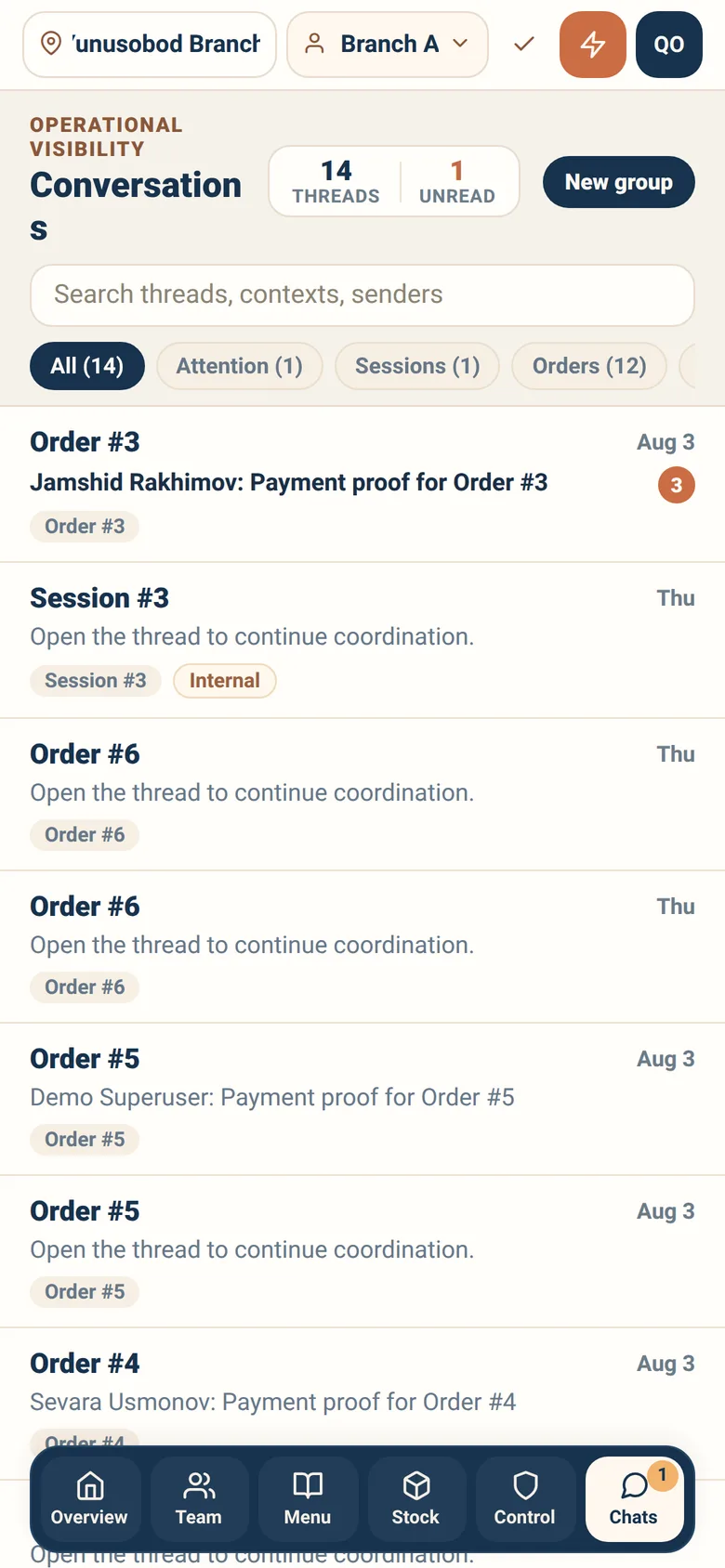
Two kinds of conversation live here.
Order conversations. A guest asking about their order. The thread is attached to that order, so whoever answers can see what is being discussed without asking the guest to explain. Answer these — an unanswered guest conversation is the cheapest complaint to prevent.
Staff conversations. Colleagues at your branch, one to one or in a group. Use them for the things that are otherwise shouted across a room.
Creating a staff group
Section titled “Creating a staff group”You can create a group and add colleagues from your branch. Groups are branch-scoped, like everything else.
Things a chat can carry
Section titled “Things a chat can carry”Besides text:
- A location, which opens in your map app
- A receipt, so a payment question can be answered with the actual record
- A voice message through the walkie-talkie control, for when typing is not practical during service
Unread and urgent
Section titled “Unread and urgent”The chat list marks unread threads, and the service manager’s overview counts urgent unread across the branch. If that number is not zero, someone is waiting.
The assistant
Section titled “The assistant”Every workspace has an assistant you can open from the top bar. Ask it about what you are looking at.
Two things to know about how it behaves, because they explain what it will and will not do:
It answers, and it drafts — it does not act behind your back. When something it suggests would change real state, it produces a draft for you to confirm. You are the one who commits it, and the record shows you did.
It works inside your access. It can only see and do what your role at your branch already permits. Asking it about another branch does not widen your access.
Closing the sheet throws away what you did not decide. A draft sitting at Awaiting review when you close the assistant is discarded, not saved. There is no inbox of proposals waiting for you, and a draft you walk away from cannot be reopened — ask again and it is drafted again. A draft you already confirmed or discarded is unaffected, and one you leave long enough expires on its own.
Useful questions look like: what still needs doing on this board, why is this order blocked, what does this status mean.
Etiquette that saves time
Section titled “Etiquette that saves time”- Answer guest conversations first. Colleagues can wait; a guest cannot tell whether anyone is reading.
- Say what you did, not just that you did something. “Confirmed the transfer for #482” is useful next shift; “done” is not.
- Use the order thread, not a private message, for anything about an order. The next person to pick it up will read the thread and will not see your DM.
- Do not use chat to record decisions that belong in a reason field. Governed actions ask for a reason, and that reason is the durable record.