Home
Home is the first answer: how is the business, and what needs me.
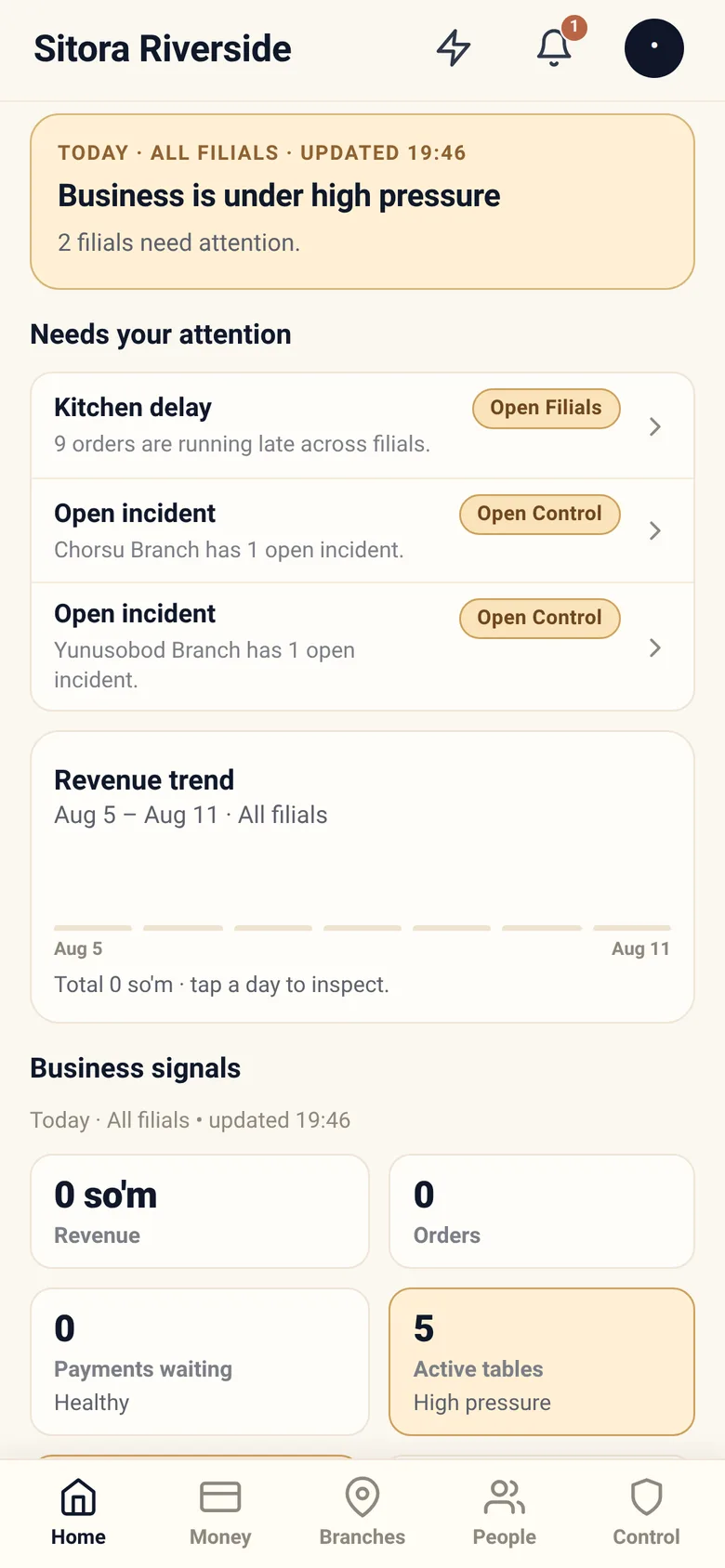
The headline
Section titled “The headline”A single sentence about the business right now, with how many branches need attention. It is a summary of the same facts below it, not a separate opinion.
Needs your attention
Section titled “Needs your attention”A short list of things worth your time, each with a way straight to it — a kitchen running late across branches, an open incident at a named branch, a plan limit approaching.
It is deliberately short. A long attention list is one nobody reads, so the app would rather show you five real things than fifty possible ones.
Revenue trend
Section titled “Revenue trend”Daily revenue across the trailing week, with the total. Tap a day to inspect it.
If nothing has been recorded yet, it says so rather than drawing an empty chart that looks like a loss.
Business signals
Section titled “Business signals”The numbers behind the headline — revenue, orders, payments waiting, active tables — each marked with how it is doing (Healthy, High pressure).
Read the marks, not just the numbers. “Payments waiting: 0 · Healthy” and “Payments waiting: 0” mean different things when the branch is closed.
Branch pulse
Section titled “Branch pulse”One row per branch, so you can see whether a problem is the business or one location. Tap a branch to open it.
This is usually the fastest diagnosis on the screen: revenue down across every branch is a business question; revenue down at one is a branch question, and you already know which one.
Refreshing
Section titled “Refreshing”Pull down to refresh. The status strip tells you if what you are looking at is stale or offline.
Numbers on Home are as current as the last refresh. Before making a decision on a number, glance at the strip.
Switching restaurant
Section titled “Switching restaurant”If you control more than one, tap the restaurant name at the top. Everything — home, money, branches, people, control — re-scopes to the restaurant you pick.
Alerts
Section titled “Alerts”The bell opens owner alerts, with an unread count. Alerts are things the system decided you should know: a branch problem, an approval waiting, a plan limit.
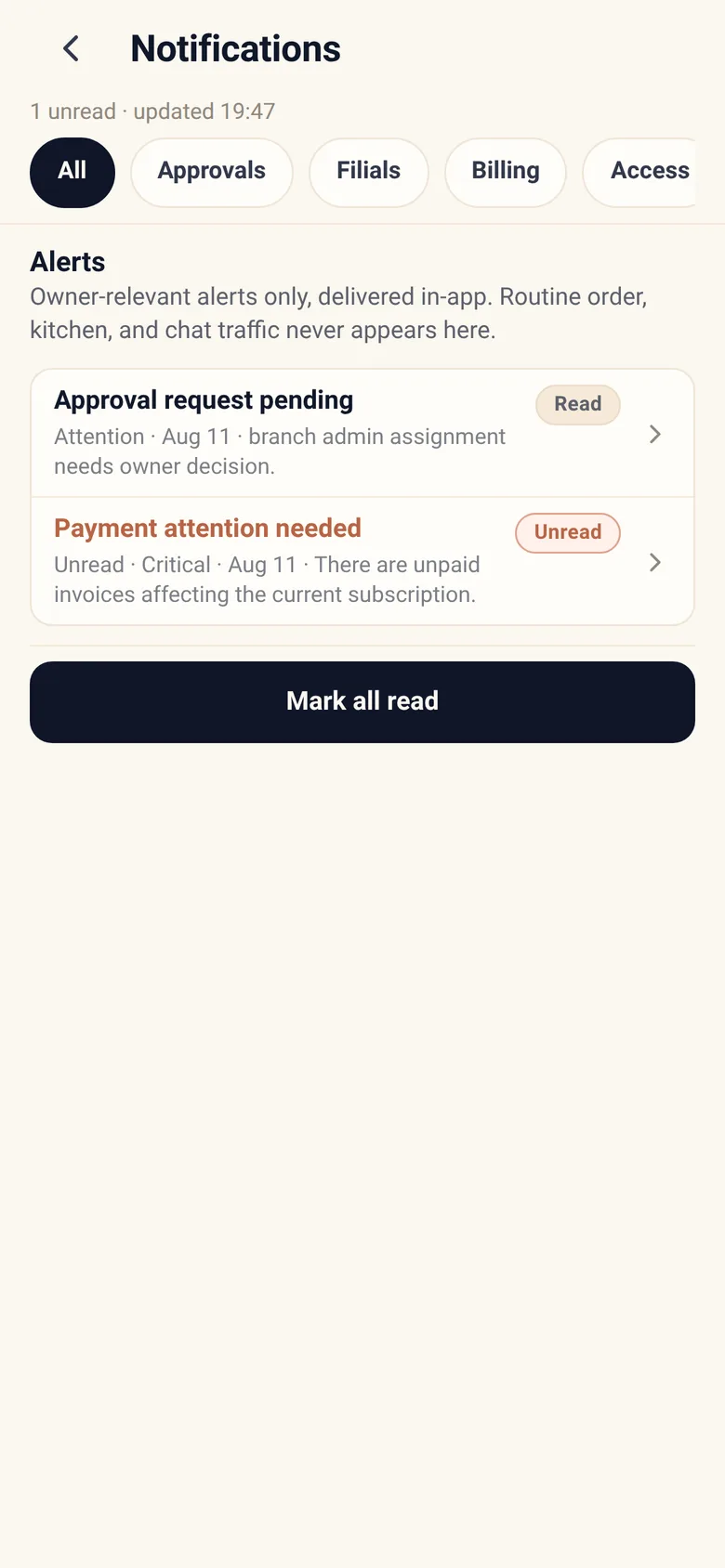
Filter by unread or by type, and tapping an alert marks it read and takes you straight to the thing it is about — the approval, the branch, the section. Mark all read clears the badge in one act when you have caught up.
You can tune which alerts you receive from your account. Do it once, properly — an alert stream you have learned to ignore is worse than none.
Day-to-day recipes
Section titled “Day-to-day recipes”Revenue looks wrong. Check the range and the currency first. Totals in different currencies are shown separately, never added, so a “missing” total is often a second currency further down.
One branch needs attention every day. Open it and work its readiness and its incidents. A branch that is permanently on the attention list usually has a fixable configuration problem, not a daily run of bad luck.
I want to see today only, or a specific week. Ranges live in Money. Home is deliberately fixed on now and the trailing week.