Branches
Branches is where a business with more than one location becomes manageable.
The list
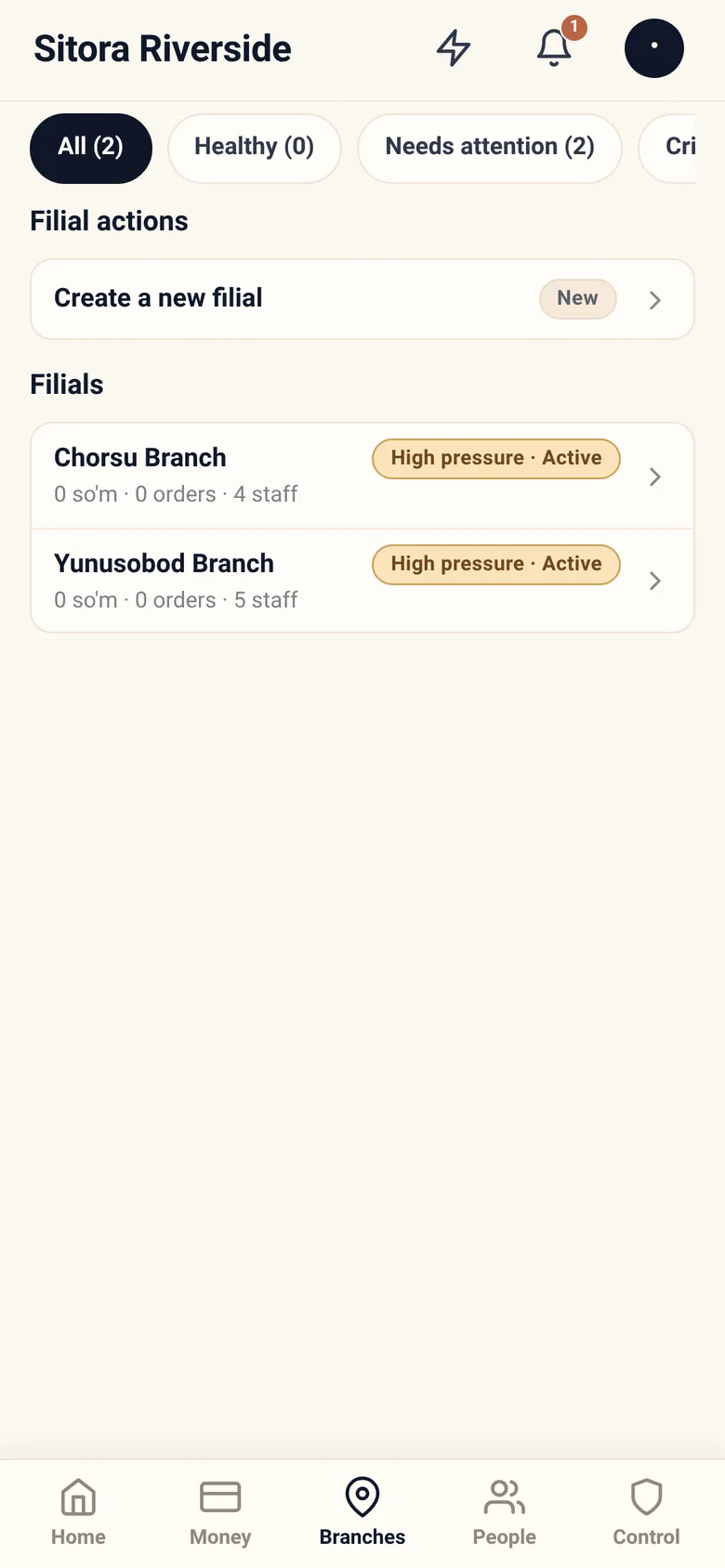
Section titled “The list”One row per branch with its health, filterable so you can look at only the ones that need you. When a filter matches nothing, the app says so rather than showing an empty list you might mistake for “no branches”.
Create a new branch adds one. You do not need Sitora’s approval for this — it is your business.
Inside a branch
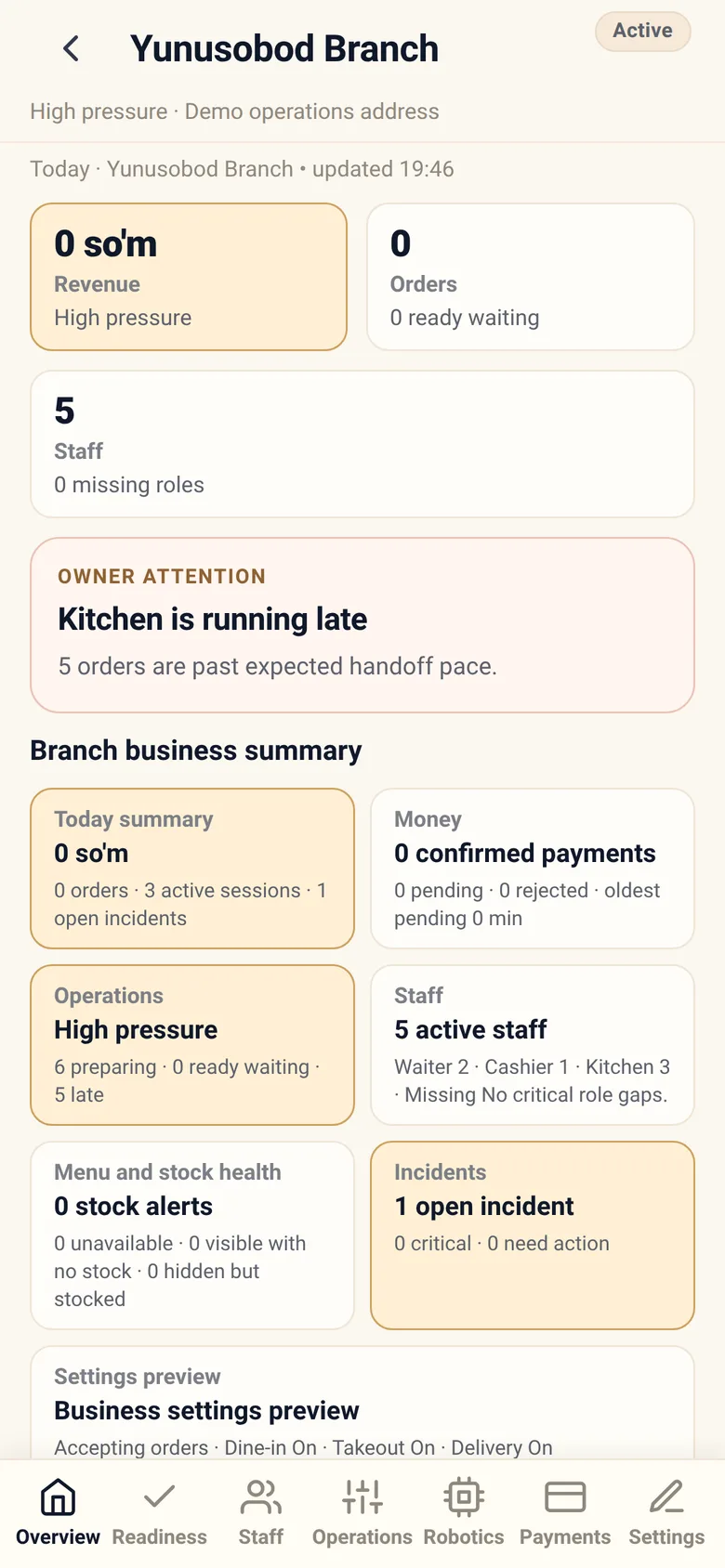
Section titled “Inside a branch”Opening a branch turns it into its own small app, with eight tabs:
| Tab | What it is for |
|---|---|
| Overview | How this branch is doing |
| Readiness | What is still missing before it can trade properly, with a badge counting what is blocking |
| Staff | Who has access here, and adding setup staff |
| Operations | Whether this branch is accepting orders at all, and by which service modes |
| Robotics | Serving robots, where used |
| Delivery | This branch’s delivery fees, coverage and cash-on-delivery terms |
| Payments | How this branch takes money |
| Settings | Profile and lifecycle |
Operations — the one lever that stops a branch
Section titled “Operations — the one lever that stops a branch”Operations is where you turn a branch’s intake on and off. Four switches: whether the branch is accepting orders at all, and then dine-in, takeout and delivery each on or off. Turning a service mode off stops new orders of that kind; orders already submitted are never changed.
Beneath them sits emergency pause, which is the harder stop and requires a reason that staff are shown.
Readiness
Section titled “Readiness”The most useful tab on a new branch. It lists what is not configured yet, in the order that matters, so setting up a branch is a checklist rather than a memory test.
Typical items: location and coordinates, operating configuration, menu, staff and roles, payment configuration, and delivery pricing.
Readiness is also where a live branch tells you why something is not working — for example, why delivery is not available here.
Payments
Section titled “Payments”Which payment methods this branch accepts, its stations and devices, and its fiscal setup where required.
A branch with no payment configuration cannot take money through Sitora. That sounds obvious, and it is still the most common reason a new branch shows no revenue.
Settings
Section titled “Settings”Profile — name, address, coordinates, contact details.
Operating configuration — hours, service modes (dine in, takeout, delivery), dining spots, and delivery pricing.
Lifecycle — pausing, resuming, and archiving.
Delivery pricing, explained
Section titled “Delivery pricing, explained”If you deliver, this is where you set what it costs. Four numbers and an optional fifth:
| Setting | What it does |
|---|---|
| Base fee | What delivery costs within the base distance |
| Base distance | How far the base fee covers |
| Per-kilometre rate | Charged for each additional started kilometre |
| Maximum distance | Beyond this, the branch refuses to deliver |
| Free-delivery threshold | Order value above which delivery is free |
Two behaviours to know:
- A started kilometre is a whole kilometre. One metre past the base distance adds a full kilometre’s charge. It is blunt on purpose: the rule has to be something a customer can check on a checkout screen.
- A branch can refuse estimated distances. When the mapping service cannot answer, Sitora can fall back to a straight-line estimate. Your branch can either accept that or refuse it and decline to quote. Refusing means fewer wrong prices and occasionally a customer who cannot order.
Set the maximum distance to what you can actually serve hot. It is the setting owners most often leave too generous, and the complaints arrive later as cold food.
Lifecycle: pausing and archiving
Section titled “Lifecycle: pausing and archiving”Pausing stops a branch taking new orders while keeping it intact. Use it for a closure, a refit, or a day when the branch cannot cope.
Archiving retires a branch. It is a governed action with a stated consequence, and it is not a way to hide a branch you might reopen next week — pause that one.
Both ask for a reason and a hold. Both are recorded.
Day-to-day recipes
Section titled “Day-to-day recipes”A new branch shows no revenue. Work Readiness top to bottom. Nine times out of ten it is payments not being configured, or no staff with a cashier role.
Delivery is not offered at a branch. Readiness will say why. Usually: no coordinates, or no delivery pricing.
One branch is always “needs attention”. Open it and look at incidents and readiness together. A persistent problem is usually configuration, not luck.
We are closing for two weeks. Pause it. Do not archive it.
A branch needs different prices from the others. Prices are per branch already. A branch admin sets them in Sitora Pro under Menu.